
PokerFlow Documentation
Welcome to the PokerFlow documentation. This guide walks you through everything, from installation to reading your statistics. PokerFlow is a desktop app that watches your hand-history folders and computes your results locally, while you play.
Getting started
- Download and install PokerFlow for Windows or macOS from the Download page.
- Create your account or sign in on first launch. This keeps your setup (bankrolls, colors, custom paths) saved and synced.
- Let PokerFlow run in the background. The app launches automatically when your computer starts and detects your tournaments in real time, with nothing to do on your end.
Setting up your bankrolls
To start using PokerFlow, you first need to set up your bankrolls. This step is essential for accurate tracking of your play sessions.
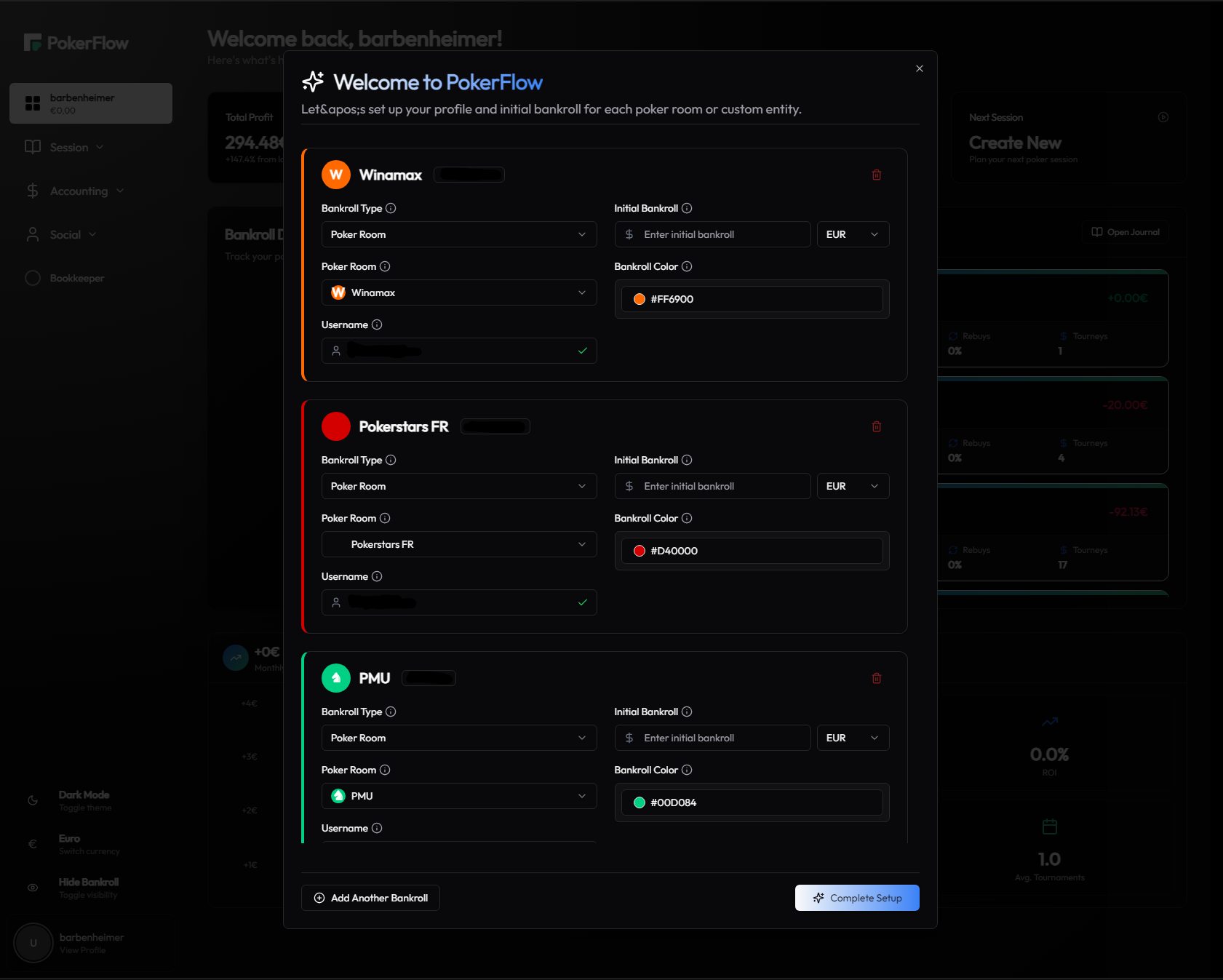
On first launch, PokerFlow automatically detects the poker rooms installed on your computer (Winamax, Betclic, PokerStars.fr, PMU, FDJ) and pre-fills them in the configuration.
For each detected room, simply:
- Set your current bankroll amount
- Pick a color to identify the room at a glance
The “Custom Bankroll” option lets you manually add other sources of funds such as a Skrill account, Revolut, or any other e-wallet.
Configuring folder paths
PokerFlow analyzes the hand-history files generated by your poker client. Each room's default locations are monitored automatically: in most cases, there's nothing to configure.
If you've changed the folder where your histories are saved, or you play across several installs, add your custom folders from Settings → Room Settings:
- Expand the relevant room and click “Add custom path”.
- Type the path manually or use the folder icon to browse for it.
- PokerFlow validates each path live: a green check confirms it exists, a red cross flags a typo.
- Click “Save Settings” to store your changes.
Personalizing the app
Head to Settings to tailor PokerFlow to the way you play:
- Auto-launch — turn on or off starting PokerFlow when your computer boots.
- Theme — switch between light and dark mode and pick your accent color.
- Game style — set your main format (Spin / Expresso or MTT) so the app adapts the experience.
- Rooms — adjust each room's paths and color at any time.
- Language — French or English.
From the sidebar you can also switch currency (€ / $) and hide your bankroll in one click — handy when streaming or sharing your screen.
Starting a session
There are two ways to begin: plan your session ahead with the Creator, or track it live with the Bookkeeper.
Plan with the Session Creator
Pick a room, browse the scheduled tournaments and add the ones you intend to play. PokerFlow computes your average buy-in (ABI), total investment and first/last registration times in real time — everything you need to build a coherent schedule before you sit down.
Track live with the Bookkeeper
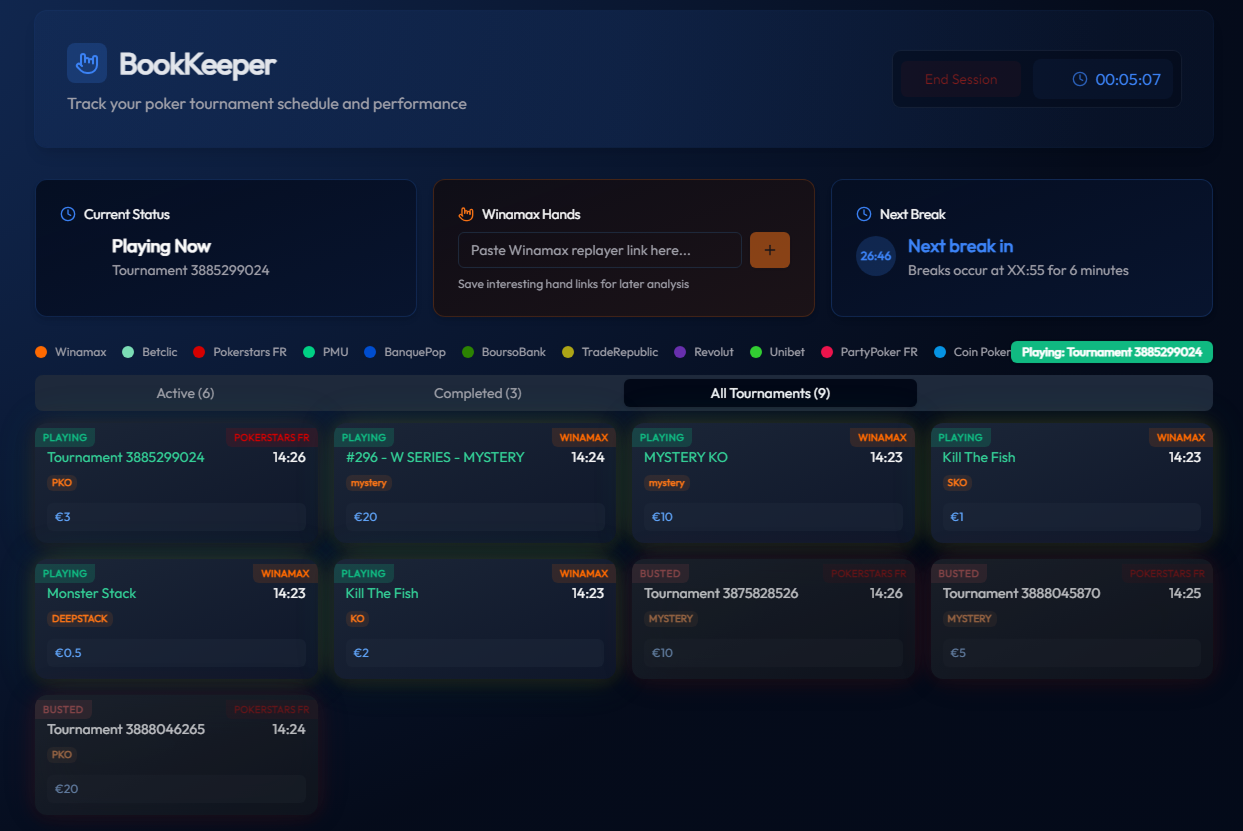
Click “Start Session” to start the timer. From there, the app tracks all your tournaments automatically as you register, play and bust. The Bookkeeper shows:
- your current status (playing now, next tournament);
- the schedule sorted into Active / Upcoming / Completed;
- a break timer (breaks occur at XX:55 for 6 minutes);
- a place to save hand links from the Winamax replayer to review later.
Ending a session
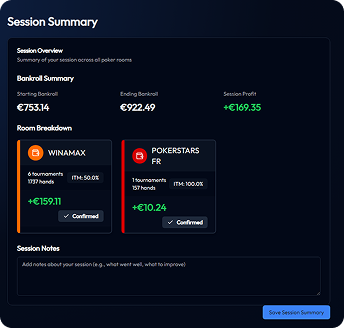
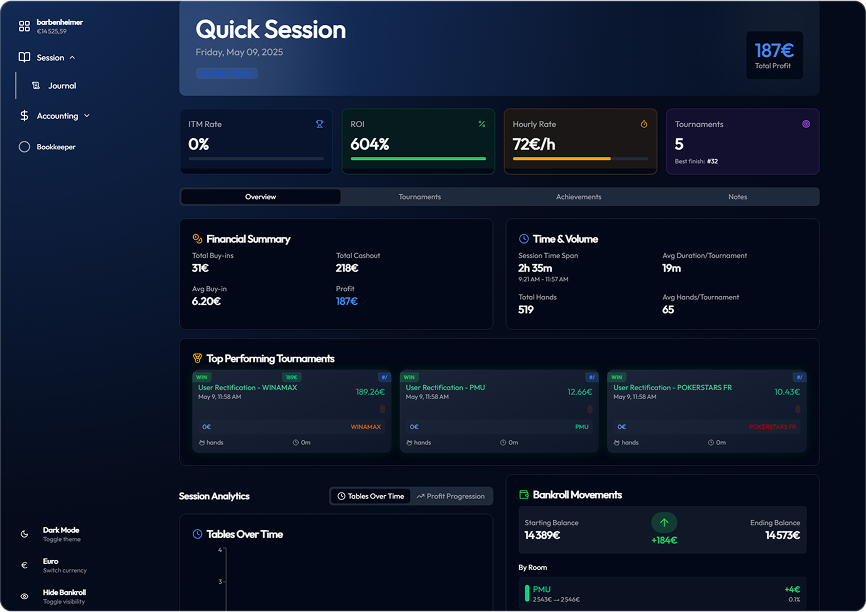
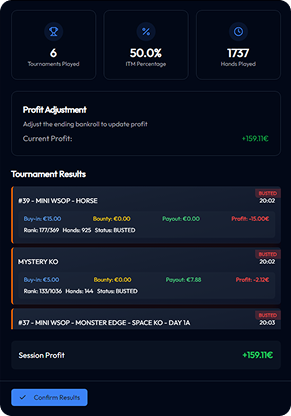
Once your tournaments are done, click “End Session” and confirm. PokerFlow generates a complete session summary:
- expected starting and ending bankroll;
- statistics (number of tournaments played, total profit);
- a breakdown of results tournament by tournament (rank);
- a notes field to record your thoughts and areas to work on.
Save the summary: the session then joins your journal and feeds your overall statistics.
Tracking your results
PokerFlow brings your whole journey together across four complementary spaces.
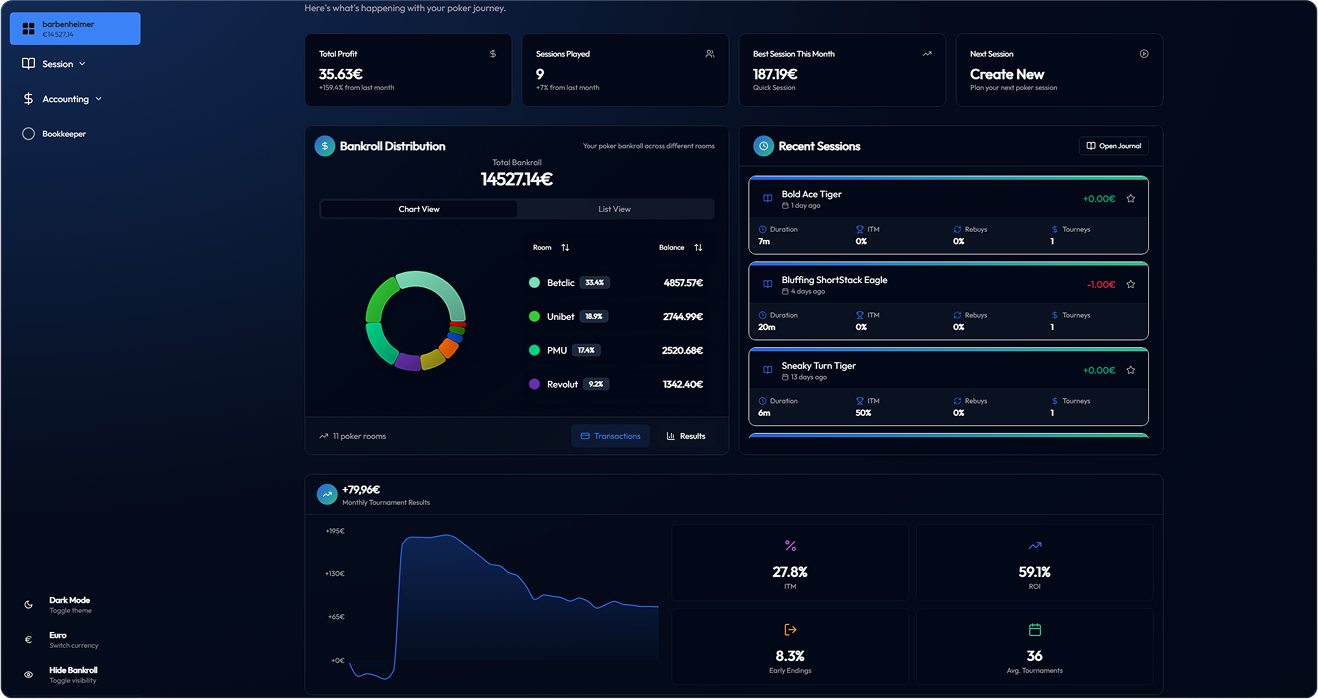
Dashboard
The big picture: total profit, sessions played, best session of the month, next session and your bankroll split per room.
Journal
Every one of your sessions, with profit curves and filters by buy-in, room or tournament type.
Stats
Your KPIs (profit, ROI, ITM %, average buy-in…) filterable by room, day of the week, time range or period, with a clickable profit graph.
Results (Accounting)
The detail tournament by tournament, with badges (High Roller, Top 3, Deep Run) and filters by platform, buy-in range or date.
Importing hand histories
Need to backfill old sessions or hands the automatic monitor might have missed? Use Session → Import HH.
- Drag and drop your history files into the drop zone, or click “Select files”.
- PokerFlow shows a quick summary, a validation of the files and the list of impacted sessions before anything is saved.
- Review what will be imported, then confirm. Your statistics update accordingly.
Supported formats: Winamax, PokerStars, PMU, PartyPoker, Betclic, GG and more.
Managing your bankrolls
Beyond automatic tracking, you stay in control of your funds from Accounting → Transactions:
- Deposit, withdraw, transfer between rooms or adjust a balance;
- add notes to each movement;
- a history filterable by type, month and text, with a deposits / withdrawals / transfers / net summary.
You can also correct a room's balance directly from the dashboard.
If a session is wrong, rectification lets you manually adjust its results so your statistics stay true to reality.
Friends & social
From the Social → Friends tab, find and follow your poker friends' activity.
- Search for a player by username (4 characters minimum) and send them a friend request.
- Accept or decline incoming pending requests.
- Follow your friends' activity feed: their recent tournaments and performances.